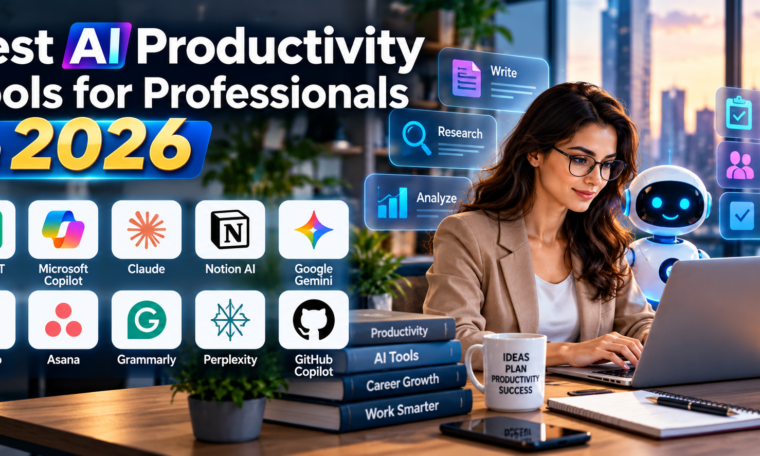
Artificial intelligence has become an important part of modern professional workflows. In 2026, AI productivity tools are helping professionals write faster, analyze information, manage projects, summarize meetings, automate repetitive tasks, and make better decisions. Instead of replacing human expertise, the best AI tools are designed to reduce routine work and give professionals more time for strategic and creative tasks.
From AI assistants and meeting tools to project management platforms and workplace copilots, there are now many AI tools for work available to professionals. However, choosing the right tool can be challenging because every platform focuses on different workflows. The best choice depends on your profession, existing software ecosystem, team size, and the type of work you want to automate. Selecting the right AI tools for work can help improve productivity, streamline daily tasks, and allow professionals to focus more on important business goals.
Here are some of the best AI productivity tools for professionals in 2026 and the tasks they can help streamline.
1. ChatGPT – Best All-Purpose AI Productivity Tool
ChatGPT is one of the most versatile AI productivity tools for professionals. It can support writing, research, brainstorming, data analysis, coding, document work, planning, and many other daily tasks. Professionals can use it to create first drafts, summarize lengthy information, develop ideas, analyze files, prepare reports, and improve business communication.
Its flexibility makes it useful across many industries. Marketing professionals can use it for content planning and campaign ideas. Managers can use it to prepare meeting agendas and project plans. Analysts can use it to interpret data and identify patterns. Developers can use it for coding assistance and debugging.
ChatGPT is particularly useful when a professional needs one AI assistant capable of handling different types of work rather than relying on several specialized applications. Its ability to work with text, files, images, and other types of information makes it a strong option for modern knowledge workers.
2. Microsoft 365 Copilot – Best for Office-Based Professionals
Microsoft 365 Copilot is a strong choice for professionals who already rely heavily on Word, Excel, PowerPoint, Outlook, and Teams. Instead of requiring users to move information into a separate AI platform, Copilot brings AI assistance directly into familiar Microsoft applications.
In Word, professionals can use AI to draft and refine documents. Excel can benefit from AI-assisted data analysis and formula creation. PowerPoint can help transform ideas and outlines into presentations. Outlook can assist with emails and lengthy conversation threads, while Teams can provide meeting insights and action items.
Microsoft also continues to expand Copilot’s workplace capabilities with AI agents and work-context features. Its integration with existing business applications makes it particularly useful for organizations that already use Microsoft 365 as their primary productivity environment.
For official information, professionals can explore Microsoft 365 Copilot.
3. Claude – Best for Long Documents and Detailed Work
Claude is another valuable AI assistant for professionals who frequently work with lengthy documents, research materials, reports, and complex written content. It can help summarize information, analyze documents, improve writing, brainstorm ideas, and assist with technical work.
One of Claude’s biggest advantages is its usefulness for long-form professional tasks. A consultant reviewing a lengthy report, for example, can use AI to identify important themes and questions. A researcher can use it to organize findings, while a content professional can use it to refine extensive drafts.
Claude can also support multi-step workflows, making it useful when a task requires more than a simple question-and-answer interaction. It is particularly suitable for professionals who value detailed analysis and careful writing.
4. Notion AI – Best for Knowledge Management
Notion combines notes, documents, databases, project information, and task management in one workspace. With Notion AI, professionals can use artificial intelligence directly within their existing workspace.
Teams can use it to summarize meeting notes, create project updates, generate documents, find information, and organize knowledge. This can be particularly useful for companies that maintain extensive internal documentation.
Notion has also expanded its ability to connect AI applications with workspace information. Its MCP capabilities allow supported AI applications to interact with authorized Notion content, creating opportunities for more connected workflows.
For professionals who struggle with scattered information across documents and project pages, Notion AI can help turn an existing knowledge base into a more searchable and useful resource.
5. Google Gemini – Best for Google Workspace Users
Google Gemini is an important productivity option for professionals working primarily within the Google ecosystem. It can support tasks involving Gmail, Google Docs, Google Sheets, Google Meet, and other Workspace applications.
For example, professionals can use AI to draft or improve emails, summarize information, brainstorm documents, analyze data, and support meeting-related tasks. This can reduce the amount of time spent switching between different applications.
Gemini is especially useful for organizations that already depend on Google Workspace because the value of an AI assistant increases when it can work within the tools where employees already spend their time.
6. ClickUp Brain – Best for Project Management
ClickUp Brain is designed for professionals who need AI assistance with project and task management. It can help teams summarize projects, answer questions about workspace information, generate content, and support task-related workflows.
Project managers can use AI to create updates, summarize discussions, organize information, and identify next steps. Instead of manually reviewing numerous tasks and comments, teams can use AI to obtain a condensed view of project progress.
This makes ClickUp Brain particularly useful for teams managing multiple projects, deadlines, and responsibilities. It can help reduce administrative work while keeping project information organized.
7. Asana AI – Best for Team Planning
Asana AI focuses on project planning, task coordination, and workflow management. Professionals can use it to generate project updates, create tasks, summarize work, and identify important information from projects.
Its AI capabilities can be valuable for managers who spend significant time coordinating teams. Rather than manually turning conversations into action items, professionals can use AI-supported workflows to structure responsibilities and maintain project momentum.
Asana is particularly suitable for organizations where productivity depends on clear ownership, deadlines, goals, and project visibility.
8. Grammarly – Best for Professional Communication
Clear communication is essential in almost every profession. Grammarly uses AI to help professionals improve grammar, clarity, tone, structure, and overall writing quality.
Employees can use it when preparing emails, proposals, reports, presentations, website copy, and internal communications. It can help identify awkward wording and make professional messages more concise.
For international teams, freelancers, marketers, sales professionals, and executives, an AI writing assistant can provide an additional quality-control layer before important communications are sent.
9. Perplexity – Best for AI-Assisted Research
Research is another area where AI productivity tools can save considerable time. Perplexity is designed around AI-assisted search and research, making it useful when professionals need to investigate a topic and quickly identify relevant information.
It can help users explore questions, compare information, discover sources, and build an initial understanding of unfamiliar subjects. This can be useful for marketers conducting industry research, consultants preparing background reports, or business owners researching competitors and trends.
Professionals should still verify important facts and consult original sources before using AI-generated research in high-stakes business decisions.
10. GitHub Copilot – Best for Developers
For software developers, GitHub Copilot can accelerate many aspects of the coding workflow. AI coding assistants can help generate code, explain existing code, suggest improvements, and assist with debugging.
Developers can use these capabilities to reduce repetitive programming work and spend more time on architecture, testing, security, and product decisions. AI-generated code should still be reviewed carefully because productivity gains do not eliminate the need for technical judgment.
For development teams, the biggest benefit is often not simply writing code faster. It is reducing repetitive work throughout the development lifecycle.
How to Choose the Right AI Productivity Tool
The best AI productivity tool depends on your specific workflow. Professionals should avoid subscribing to numerous platforms simply because they offer AI features.
Start by identifying your biggest productivity bottleneck. If writing and research consume most of your time, a general AI assistant may provide the greatest benefit. If your organization relies on Microsoft 365, Copilot may be a natural choice.
Integration is another important consideration. An AI tool becomes more useful when it can work with the information and applications your team already uses. Security, privacy, permissions, pricing, administrative controls, and data-handling policies should also be reviewed before introducing AI into professional workflows.
Benefits of AI Productivity Tools for Professionals
AI productivity software can provide several benefits when implemented correctly. These include faster content creation, reduced administrative work, quicker research, improved organization, automated repetitive tasks, and better access to workplace information.
AI can also help professionals move from blank pages to useful first drafts much faster. Instead of spending significant time creating an initial document, employees can use AI to establish a starting point and then apply their expertise to improve the result.
Another major advantage is scalability. A small team can use AI to handle repetitive tasks that would otherwise require additional administrative resources. Larger organizations can use AI to support standardized workflows across departments.
Read More: The Rise of Personal AI Robots
Final Thoughts
The best AI productivity tools for professionals in 2026 are not necessarily the tools with the largest number of features. The most valuable tools are those that fit naturally into existing workflows and solve specific productivity problems.
ChatGPT and Claude are strong general-purpose choices, Microsoft 365 Copilot is well suited to Office-based organizations, Notion AI is useful for knowledge management, Gemini fits Google Workspace environments, and ClickUp Brain and Asana AI can support project-focused teams. Grammarly, Perplexity, and GitHub Copilot provide more specialized assistance for communication, research, and software development.