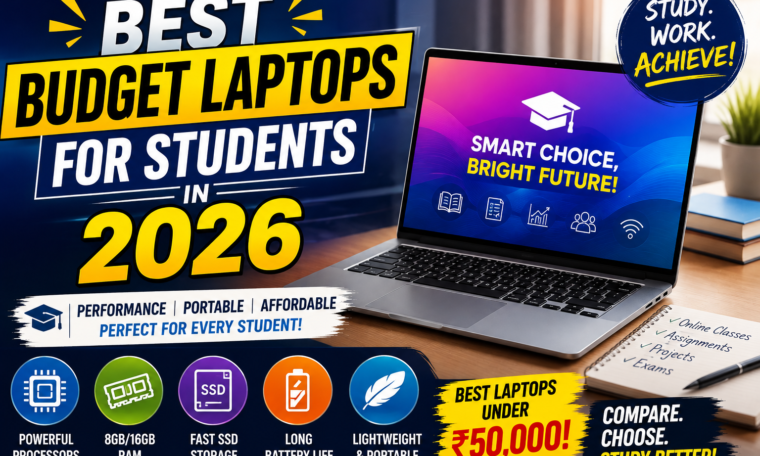
Finding the best budget laptops for students in 2026 has become easier than it was a few years ago. Students no longer need to spend a huge amount of money to get a laptop capable of handling online classes, assignments, research, presentations, coding, video calls and everyday entertainment.
For many students in India, the ₹40,000 to ₹50,000 price range has become an attractive segment because several laptops now offer SSD storage, Full HD displays, modern processors and up to 16GB RAM. Current 2026 listings show a variety of options from brands such as Lenovo, ASUS, HP, Acer, Dell and Infinix in this category.
But with so many choices available, how do you know which laptop is actually right for you?
The answer depends on your course, software requirements, portability needs and budget. This guide covers the best budget laptops for students in 2026, the specifications you should look for and the mistakes to avoid before buying.
Why Students Need a Good Laptop in 2026
A laptop has become much more than a device for typing assignments.
Students increasingly use laptops for:
- Online classes
- Research and browsing
- Microsoft Office or Google Workspace
- Presentations
- Coding
- Graphic design
- Video editing
- Online examinations
- AI-powered study tools
- Video calls
- Entertainment
Artificial intelligence is also becoming part of everyday student workflows, making performance, memory and battery life increasingly important. A 2026 Indian Express roundup of laptops under ₹50,000 specifically highlights performance, battery life and display quality as key requirements for students.
Best Budget Laptop Price Range for Students
If you’re shopping in India, you don’t necessarily need to spend ₹80,000 or ₹1 lakh for a student laptop.
Under ₹30,000
This range is best for very basic tasks such as:
- Web browsing
- Online classes
- Word processing
- Streaming
However, you may have to compromise on processor performance, storage or display quality.
₹30,000–₹40,000
This is a better range for students who want everyday performance without spending too much.
You can find laptops with SSD storage, Full HD displays and entry-level modern processors.
₹40,000–₹50,000
This is one of the most interesting budget categories in 2026.
Current listings include laptops with Ryzen 5 and Core i5-class processors, 8GB or 16GB RAM and 512GB SSD storage, depending on the model and sale price.
Above ₹50,000
If your course involves coding, engineering software, content creation or heavier workloads, moving above ₹50,000 can provide better long-term performance.
1. ASUS Vivobook Series
The ASUS Vivobook range is worth considering for students looking for a combination of portability, everyday performance and modern design.
Current sub-₹50,000 listings include Vivobook models with Ryzen processors or Intel Core processors, depending on the configuration.
Why Students May Like It
- Lightweight designs on selected models
- Full HD displays
- SSD storage
- Good everyday performance
- Comfortable keyboards
- Windows compatibility
A Vivobook can be a particularly practical choice for college students who carry their laptop between classrooms, libraries and home.
2. Lenovo IdeaPad Slim Series
Lenovo’s IdeaPad Slim range continues to be popular in the budget segment.
Depending on the configuration, students can find models featuring AMD Ryzen or Intel processors, 8GB or 16GB RAM and SSD storage. Current 2026 listings include IdeaPad Slim models under ₹50,000.
The series is particularly attractive for students who want a straightforward Windows laptop for everyday academic work.
Ideal For
- College assignments
- Research
- Browsing
- Office applications
- Programming basics
- Online classes
- Entertainment
3. HP Budget Laptops
HP remains another major option in the student laptop market.
Current listings under ₹50,000 include HP 15 configurations with Intel Core i3 processors, 16GB RAM and 512GB SSD storage.
HP laptops can appeal to students who want a familiar Windows experience and a conventional laptop design.
Before buying, however, always check the exact configuration because the same laptop series may be sold with different processors, RAM and storage options.
4. Acer Aspire Series
Acer Aspire laptops are another strong option for students who want performance without moving into premium pricing.
Current 2026 listings include Aspire models with AMD Ryzen processors, 8GB or 16GB RAM and SSD storage.
The Aspire series can be useful for students who want more performance for multitasking.
Some configurations also offer larger storage, which can be useful if you regularly store lecture recordings, documents, photos or project files.
5. Dell Budget Laptops
Dell continues to offer student-friendly laptops in the budget and mid-range categories.
Current listings include Dell models around the ₹50,000 mark with Intel and AMD processor configurations.
Dell may be worth considering if build quality, keyboard comfort and after-sales support are important factors for you.
However, always compare the specifications with competing Lenovo, ASUS, Acer and HP models before making your final decision.
6. ASUS Chromebook Options
Not every student needs a Windows laptop.
Chromebooks can be attractive for students who primarily use web-based applications.
In August 2026, ASUS launched the Chromebook CX15 in India at ₹47,990. It includes an Intel N50 processor, 8GB RAM and a 15.6-inch Full HD display, and is aimed at students and first-time laptop buyers. The package also includes Google AI Pro and 5TB of cloud storage.
A Chromebook can be a good choice if most of your work happens inside a browser.
However, check your college’s software requirements before choosing ChromeOS.
7. Infinix XBOOK Series
Infinix has also become more competitive in India’s affordable laptop market.
Current listings show XBOOK configurations with Ryzen 5 processors, 16GB RAM and 512GB SSD storage at prices below ₹50,000.
These specifications can look attractive for students who want more RAM and storage for their money.
However, don’t judge a laptop solely by its specification sheet. Display quality, keyboard, battery, thermals, software support and service availability should also be considered.
What Specifications Should Students Look For?
Choosing the right specifications can be confusing.
Here’s what matters most.
Processor
For basic student work, an entry-level modern Intel Core or AMD Ryzen processor can be sufficient.
If you regularly multitask, code, edit photos or use heavier applications, consider moving toward a Ryzen 5 or Core i5-class configuration where your budget allows.
RAM
8GB RAM should be considered the minimum for a modern student laptop.
However, 16GB RAM is preferable if you frequently keep multiple browser tabs, applications and documents open simultaneously.
A laptop with 16GB RAM can also offer better long-term flexibility.
Storage
Always prioritize an SSD over an old mechanical hard drive.
A 512GB SSD is a particularly useful target for students because it provides enough room for applications, assignments and personal files without becoming excessively expensive.
Display
A Full HD display should be high on your checklist.
Students spend long periods reading documents and watching lectures, so screen quality matters.
Look for:
- Full HD resolution
- Good brightness
- Anti-glare coating where available
- Comfortable viewing angles
- Adequate screen size
Battery Life
Battery life can make a huge difference during college.
You don’t want your laptop constantly searching for a power socket between lectures.
If possible, look for a laptop capable of handling several hours of real-world productivity.
Don’t rely entirely on manufacturer’s advertised battery figures because actual battery life varies depending on brightness, applications and usage.
Weight and Portability
If you commute to college every day, weight matters.
A 1.4–1.6 kg laptop can be significantly easier to carry than a heavier 2 kg-plus machine.
However, larger 15.6-inch laptops can provide a more comfortable workspace.
Choose based on your daily routine.
Best Laptop for Different Types of Students
For College Students
Look for a lightweight Windows laptop with at least 8GB RAM and 512GB SSD storage.
For Engineering Students
Prioritize processor performance, RAM and compatibility with engineering software.
For Computer Science Students
Look for a strong processor, 16GB RAM if possible and good software compatibility.
For Commerce Students
A reliable laptop with a comfortable keyboard, SSD and good battery life should be sufficient for most tasks.
For Design Students
Display quality becomes extremely important. You may also need stronger graphics performance depending on your software.
For Content Creators
Look for better processors, 16GB RAM, a quality display and, depending on your workflow, a dedicated GPU.
8GB vs 16GB RAM: Which Should Students Choose?
If your budget allows it, 16GB RAM is the better long-term choice.
8GB can handle everyday tasks, but modern browsers and applications can consume significant memory.
If you regularly use Chrome with many tabs while running Word, PowerPoint, Spotify and other applications, 16GB can provide more breathing room.
Therefore, when comparing two similarly priced laptops, the 16GB configuration can often be the more attractive choice.
SSD vs HDD: Which Is Better?
For a new student laptop in 2026, SSD storage should be the preferred option.
An SSD generally provides faster boot times, quicker application loading and a more responsive overall experience than a traditional HDD.
A 512GB SSD is a good starting point for most students.
If you need more storage, external SSDs or cloud storage can be added later.
Common Mistakes to Avoid
Don’t buy a laptop simply because it has a famous brand name.
Avoid these mistakes:
- Choosing 4GB RAM to save money
- Buying a laptop without an SSD
- Ignoring display quality
- Buying based only on processor name
- Forgetting software compatibility
- Ignoring warranty and service support
- Choosing a very heavy laptop for daily commuting
- Paying extra for features you won’t use
Also remember that laptop prices fluctuate frequently. Current price lists from Indian technology sites show that the same budget category can include many different configurations depending on availability and promotions.
Should Students Buy a Chromebook or Windows Laptop?
The answer depends on your studies.
Choose Windows if you need traditional desktop applications, specialized academic software, engineering tools or broader compatibility.
Choose ChromeOS if your studies mainly involve browser-based applications, Google Workspace, online learning and cloud storage.
For example, ASUS’s recently launched Chromebook CX15 is specifically positioned toward students and first-time buyers who rely heavily on cloud-based workflows.
Are Budget Laptops Good Enough for 2026?
Yes.
The budget laptop market has improved considerably.
Today’s sub-₹50,000 options can offer SSD storage, Full HD screens, modern processors and up to 16GB RAM.
Of course, budget laptops still involve compromises.
You may get a basic display, plastic construction, average speakers or limited graphics performance.
But for normal academic workloads, a carefully chosen budget laptop can be more than sufficient.
Final Verdict
The best budget laptops for students in 2026 don’t necessarily need to be the most powerful machines available.
For most students, the ideal laptop should offer a good balance of performance, battery life, portability, storage and price.
A budget of around ₹40,000–₹50,000 can now provide several capable choices, including laptops from Lenovo, ASUS, HP, Acer, Dell and Infinix.
If you’re buying primarily for assignments, research and online classes, prioritize 8GB or preferably 16GB RAM, a 512GB SSD, Full HD display and a reliable processor.
For coding, engineering, design or content creation, consider spending more if your software demands additional performance.
Ultimately, don’t buy the laptop with the longest specification list. Buy the laptop that matches your course, daily workload and budget.