Introduction
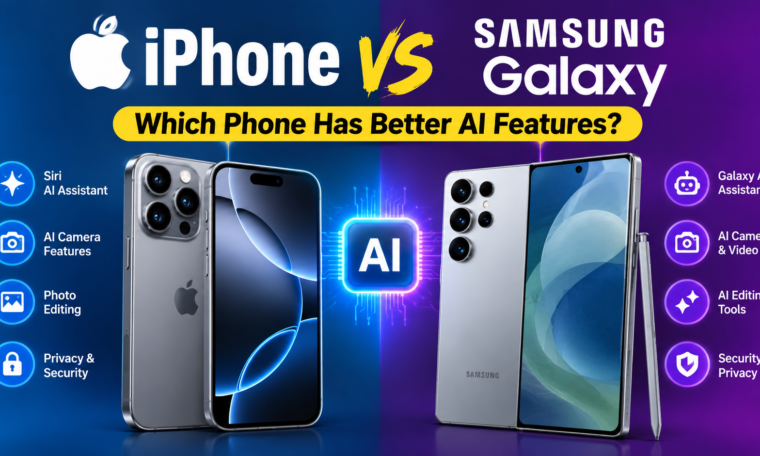
The iPhone vs Samsung Galaxy AI features debate has become more interesting as artificial intelligence moves deeper into everyday smartphone use. Both Apple and Samsung now use AI to improve photography, communication, productivity, search, and personalization.
Apple approaches AI through Apple Intelligence, while Samsung builds many of its AI experiences around Galaxy AI. Although both ecosystems offer useful tools, they do not always solve the same problems in the same way.
So, which phone has better AI features in 2026? The answer depends on what you expect from your smartphone. Someone who spends more time editing photos may value different tools than a person who frequently translates conversations or summarizes documents.
Let’s compare the major AI features on iPhone and Samsung Galaxy phones to understand where each platform stands.
Apple Intelligence vs Galaxy AI
Apple Intelligence is Apple’s collection of AI-powered features integrated into supported iPhone models and Apple’s operating systems. The system focuses on areas such as writing assistance, notification summaries, image tools, Siri improvements, and personalized experiences.
Samsung’s Galaxy AI takes a broader approach across communication, productivity, photography, and search. Depending on the supported Galaxy model and software version, users can access tools for translation, photo editing, note assistance, browsing, and other tasks.
One important point is that AI availability varies by device, software version, language, region, and account requirements. Therefore, buyers should check the specific model before assuming that every advertised AI feature will be available.
AI Writing and Text Tools
Writing assistance is one area where smartphone AI can save time.
On supported iPhones, Apple Intelligence can help users rewrite, proofread, summarize, and adjust the tone of compatible text. These features can be useful when preparing emails, messages, notes, or other written content.
Samsung Galaxy devices also offer AI-powered writing and text tools. Depending on the device and software, users can access writing assistance, formatting, translation, and summarization features.
For students and professionals, these tools can make everyday communication faster. However, the exact experience depends heavily on the apps being used.
AI Photo Editing
Photography has become one of the biggest battlegrounds for smartphone AI.
Apple uses AI-powered features to support image search, editing, and other photography workflows on compatible devices. Apple’s image tools are designed to work naturally within its Photos ecosystem.
Samsung has placed significant emphasis on generative photo editing. Supported Galaxy devices can use AI-based editing features to remove, move, or resize objects and make other adjustments.
For users who frequently experiment with photos, Galaxy AI can offer particularly noticeable editing options. Meanwhile, iPhone users may prefer Apple’s more integrated approach across the Photos app and Apple ecosystem.
The better option depends on whether you prioritize creative editing controls or a tightly integrated photo-management experience.
AI-Powered Search
Searching for information inside photos and on-screen content is another important smartphone AI feature.
Apple has expanded intelligent capabilities across its ecosystem, allowing supported devices to understand more context within apps and content.
Samsung has also developed AI-assisted search experiences. Features such as Circle to Search can allow users to search for information by interacting directly with content on their screen.
This approach can be convenient when you see an unfamiliar object, product, location, or piece of information while browsing.
For everyday visual searches, Samsung’s integration of screen-based search can be particularly useful.
Live Translation and Communication
Language translation is another area where Galaxy AI and Apple Intelligence can help.
Samsung has introduced AI-powered translation features for supported calls and conversations. These tools can reduce language barriers and make communication across different languages easier.
Apple also provides translation-related capabilities through its broader software ecosystem and supported apps.
Frequent travelers and multilingual users should check language availability before buying a device. AI translation quality and supported languages can vary depending on the phone, region, and software.
AI Assistants
The smartphone assistant experience is also changing.
Apple has been upgrading Siri as part of its broader Apple Intelligence strategy. The goal is to make Siri more capable of understanding context and helping users interact with their devices.
Samsung continues to offer its own assistant ecosystem while also integrating Google’s AI technologies into compatible Galaxy phones.
This distinction matters because Samsung’s Android ecosystem can provide access to several Google-powered AI experiences, while Apple focuses heavily on integrating AI throughout its own hardware and software environment.
AI for Productivity
AI can turn a smartphone into a more useful productivity tool.
Samsung Galaxy AI includes features designed to summarize information, assist with notes, organize content, and improve communication. These tools can be especially useful for people who regularly work from their phones.
Apple Intelligence also focuses on productivity through writing tools, summaries, notification management, and intelligent assistance.
For example, instead of reading every notification individually, AI-powered summaries can help users understand important information more quickly.
The overall benefit depends on your daily workflow rather than simply the number of AI features advertised.
AI Notifications and Summaries
Smartphone users receive a huge amount of information every day.
Emails, messages, app alerts, calendar reminders, and social notifications can quickly become overwhelming. AI summaries attempt to reduce that problem by presenting information in a more digestible format.
Apple has introduced notification summarization as part of Apple Intelligence on supported devices.
Samsung also provides AI-assisted productivity and information-management features across compatible Galaxy devices.
These functions may seem small, but they can become useful once they are integrated into a daily routine.
Privacy and AI
Privacy is an important part of the iPhone vs Samsung Galaxy AI comparison.
Apple has emphasized privacy-focused AI processing and introduced Private Cloud Compute for more demanding AI workloads. The company says its approach is designed to provide AI capabilities while protecting user data.
Samsung’s AI ecosystem also includes a mix of on-device and cloud-based processing depending on the feature.
Because AI services can handle personal content, users should understand which features process information locally and which may require cloud processing.
Checking the privacy settings and terms for your particular device is a smart step before enabling advanced AI features.
AI Performance and Hardware
AI performance is not determined by software alone.
Modern iPhones use Apple’s custom silicon, while Samsung Galaxy phones use different processors depending on the model and market. Dedicated neural-processing hardware can help devices perform AI tasks more efficiently.
High-end phones generally provide more advanced AI capabilities than entry-level models.
Consequently, buyers should compare the exact processor, RAM, software version, and supported AI functions instead of comparing brand names alone.
iPhone vs Samsung Galaxy AI: Feature Comparison
| AI Feature | iPhone | Samsung Galaxy |
|---|---|---|
| AI Writing Tools | Yes, on supported models | Yes |
| Photo AI Editing | Yes | Yes |
| Generative Photo Editing | Available on supported devices/features | Strong focus on generative editing |
| Translation Features | Available through supported features/apps | Extensive AI translation features |
| AI Search | Apple ecosystem features | Circle to Search and related tools |
| Notification Summaries | Yes, on supported devices | AI productivity features |
| AI Assistant | Siri with Apple Intelligence features | Samsung/Google AI ecosystem |
| AI Productivity | Yes | Yes |
| On-Device AI | Supported for selected features | Supported for selected features |
| Cloud AI | Used for certain advanced tasks | Used for certain advanced tasks |
Feature availability can change with software updates and may vary by model, region, and language.
Which Phone Offers Better AI for Photography?
Photography-focused users have several reasons to consider both platforms.
Samsung Galaxy devices stand out for users who enjoy creative AI editing and object manipulation. Generative editing can make it easier to experiment with the composition of an image.
On the other hand, iPhones offer a highly integrated camera and Photos experience. Apple’s software ecosystem also makes it convenient to manage and edit photos across Apple devices.
Your choice may therefore depend on whether you want more creative editing tools or deeper ecosystem integration.
Which Is Better for Productivity?
Productivity needs can vary significantly.
A Samsung Galaxy phone may appeal to users who want a wide collection of AI tools across notes, translation, search, communication, and other functions.
Meanwhile, Apple Intelligence focuses on integrating AI into Apple’s existing apps and operating system.
People already using a Mac, iPad, Apple Watch, or other Apple products may find the iPhone’s approach especially convenient. Android users who rely heavily on Google services may prefer Samsung’s broader Google integration.
Which Is Better for Everyday AI?
Everyday AI is less about having the longest feature list and more about how naturally those tools fit into your routine.
Someone who frequently edits photos may prioritize generative editing. A frequent traveler might care more about translation. Students could value summarization and writing assistance, while professionals may focus on emails, notes, and productivity.
Both Apple and Samsung are moving toward smartphones where AI works quietly in the background rather than feeling like a separate application.
What Should You Check Before Buying?
Before choosing between an iPhone and Samsung Galaxy phone for AI, consider these points:
- Check the exact model and processor.
- Confirm which AI features are supported.
- Look at supported languages and regions.
- Review cloud-processing requirements.
- Compare privacy settings.
- Consider the apps you use every day.
- Think about your existing ecosystem.
- Check how long the phone will receive software updates.
- Consider whether AI features are actually useful for your routine.
These factors can matter more than a simple feature count.
Final Thoughts
The iPhone vs Samsung Galaxy AI features comparison shows that both smartphone platforms are investing heavily in artificial intelligence. Apple Intelligence focuses on bringing AI into Apple’s software ecosystem, while Galaxy AI combines Samsung’s tools with Google’s broader Android AI ecosystem.
Photography, writing, translation, search, productivity, and personal assistance are all becoming smarter across both platforms. However, the experience can differ significantly depending on the device and software version.
Instead of choosing a phone based only on the number of AI features, consider how you actually use your smartphone. Look at the tools you need most, check compatibility, and compare the specific models you are considering.
In 2026, AI is no longer just a bonus smartphone feature. It is becoming part of the everyday mobile experience.