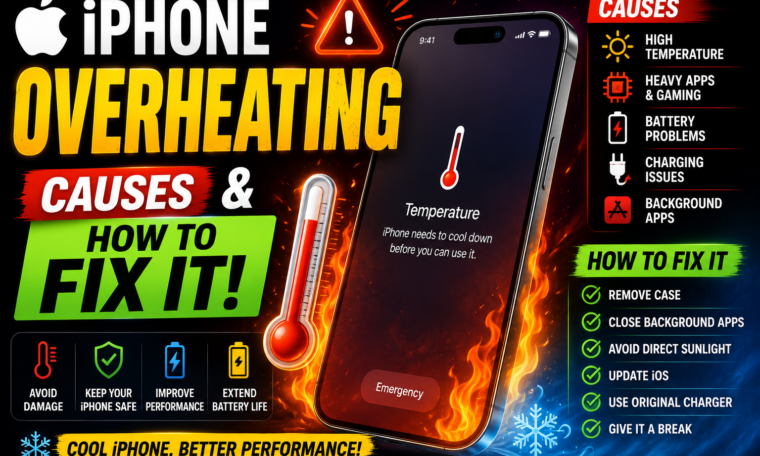
iPhone Overheating: Causes and How to Fix It in 2026
Is your iPhone getting unusually hot?
A warm iPhone isn’t always a reason to panic. Smartphones naturally generate heat while charging, gaming, recording videos, using navigation or performing demanding tasks. However, excessive or persistent iPhone overheating can be uncomfortable and may affect performance.
Sometimes, the reason is obvious. Your phone may be sitting in direct sunlight or working hard while running a demanding game. In other cases, an app running in the background, a poor cellular signal or a charging setup may contribute to the problem.
So, why does your iPhone get hot, and what can you do about it?
This guide explains the common causes of iPhone overheating and practical steps you can take to cool your device safely.
Important: If an iPhone becomes extremely hot, displays a temperature warning, smells unusual, swells, smokes or appears damaged, stop using it and seek professional assistance. Don’t attempt to cool a hot phone with ice or place it in a refrigerator.
Is It Normal for an iPhone to Get Warm?
Yes, to a certain extent.
Your iPhone contains a processor, battery, display and wireless components. These components generate heat when they work.
For example, your iPhone may become warm when you:
- Play graphics-intensive games
- Record high-resolution video
- Use GPS navigation
- Make long video calls
- Stream high-quality video
- Charge the battery
- Use mobile data in a weak-signal area
- Set the screen brightness very high
A little warmth is generally normal.
Excessive heat, however, deserves attention.
1. Direct Sunlight Can Cause Overheating
One of the simplest causes is environmental temperature.
Leaving your iPhone on a car dashboard, near a sunny window or outside under direct sunlight can cause its temperature to rise quickly.
The problem becomes worse when the phone is simultaneously charging or performing demanding tasks.
How to Fix It
Move your iPhone to a cooler, shaded location.
Remove it from direct sunlight and allow it to cool naturally.
Don’t put it in a freezer or refrigerator to speed up the process because condensation can potentially cause additional problems.
2. Heavy Gaming Can Make Your iPhone Hot
Modern iPhones can run graphically demanding games.
However, intensive gaming pushes the processor and graphics hardware harder than ordinary activities such as texting.
As a result, the phone can become noticeably warm.
The same thing can happen during extended sessions.
How to Fix It
Take regular breaks during long gaming sessions.
If the device becomes uncomfortably hot, stop the game and allow the iPhone to cool.
Lowering graphics settings in supported games can also reduce the workload.
3. Video Recording Can Generate Heat
Recording video requires significant processing power.
Features such as high-resolution recording, high frame rates and advanced image processing can increase the workload on the device.
Therefore, it’s not unusual for your iPhone to become warmer during extended recording sessions.
What You Can Do
If you’re recording for a long period, avoid direct sunlight whenever possible.
Also, don’t cover the device with clothing or other materials that prevent heat from escaping.
If the phone becomes excessively hot, stop recording and let it cool.
4. Charging Can Make Your iPhone Warm
It’s common for a phone to become somewhat warm while charging.
Fast charging can generate additional heat because more power is being transferred to the battery in a shorter period.
However, excessive heat while charging shouldn’t be ignored.
How to Reduce Charging Heat
Keep your iPhone in a cool, ventilated location while charging.
Avoid charging it under a pillow, blanket or other material that traps heat.
If you’re using a protective case and notice unusual heat during charging, temporarily removing the case may improve heat dissipation.
Use appropriate, reputable charging accessories that comply with Apple’s requirements.
5. A Weak Cellular Signal Can Increase Heat
This is a less obvious reason for iPhone overheating.
When your iPhone struggles to maintain a cellular connection, it may work harder to communicate with the network.
As a result, extended periods in areas with poor reception can increase power consumption and potentially contribute to warmth.
You may notice this when travelling through rural areas, basements or buildings with weak reception.
Possible Solution
If you know you’ll be somewhere without cellular service for an extended period, Airplane Mode can reduce unnecessary wireless activity.
Of course, you won’t receive normal cellular calls or messages while Airplane Mode is enabled unless you separately re-enable supported connections such as Wi-Fi.
6. Background Apps and Processes
Your iPhone manages background activity automatically.
Still, certain apps may perform tasks such as syncing, uploading photos or refreshing information.
After installing a new app or updating iOS, you may occasionally notice increased activity for a while.
What Should You Do?
Check:
Settings → General → iPhone Storage
Look for apps you rarely use.
You can also review:
Settings → General → Background App Refresh
Turn off Background App Refresh for apps that don’t need it.
There’s no need to disable the feature everywhere. Instead, focus on apps that don’t require frequent background updates.
7. iOS Updates Can Temporarily Increase Activity
Installing a major iOS update can sometimes be followed by temporary battery drain or warmth.
Why?
Your iPhone may perform background tasks such as indexing, organising files and processing data after an update.
Therefore, don’t immediately assume your phone has developed a permanent overheating problem.
What to Do
Keep your iPhone connected to power if needed and give it some time to complete background processes.
If overheating continues for an extended period after an update, investigate further.
8. High Screen Brightness Can Add to Power Consumption
Your display is one of the biggest power consumers on a smartphone.
Keeping brightness at maximum for long periods can increase energy use and contribute to additional warmth.
Try This
Open the Control Center and lower the brightness to a comfortable level.
You can also check:
Settings → Accessibility → Display & Text Size
and other display-related options that affect screen behaviour.
Using automatic brightness can also help your iPhone adapt to surrounding light.
9. Remove an Extremely Thick Case Temporarily
A protective case is useful for preventing scratches and damage.
However, some thick cases can make it harder for heat to dissipate.
If your iPhone becomes particularly warm while charging or performing demanding tasks, try removing the case temporarily.
If the temperature improves noticeably, the case could be contributing to heat retention.
That doesn’t necessarily mean you need to stop using it permanently. Instead, consider using a case that provides protection without excessive bulk.
10. Restart Your iPhone
Sometimes a simple restart can help.
If an app or system process becomes stuck and continues consuming resources, restarting the iPhone may stop it.
How to Restart
The exact procedure varies by iPhone model.
On Face ID models, press and hold a volume button and the side button until the power-off slider appears.
Slide to power off, wait briefly and then turn the device back on using the side button.
A restart is a basic troubleshooting step, but it can occasionally resolve unusual behaviour.
11. Check Battery Health
An ageing battery can behave differently from a new one.
To check your battery information, go to:
Settings → Battery → Battery Health & Charging
On supported iPhones, you’ll see information about battery capacity and performance-related features.
Battery health naturally declines over time.
If your battery is significantly degraded and you’re experiencing unusual battery behaviour, consider discussing replacement options with Apple or an authorised service provider.
12. Avoid Using Your iPhone While It Is Extremely Hot
If your iPhone is already hot, continuing to play games, stream videos or record footage can make the situation worse.
Instead, stop demanding tasks.
Disconnect it from charging if appropriate and move it to a cool, shaded area.
Then allow it to return to a normal temperature naturally.
Don’t use ice, frozen packs or refrigerators.
Rapid temperature changes can create condensation and potentially damage electronics.
13. Update Your Apps
An outdated application can sometimes contain bugs that affect performance or battery consumption.
Open the App Store and check for available updates.
Keeping apps updated can provide bug fixes, compatibility improvements and performance optimisations.
If you notice that overheating started after installing a particular app, pay attention to whether the problem continues when that app isn’t being used.
14. Check Which Apps Are Using the Most Battery
Your iPhone provides a useful way to identify energy-hungry applications.
Go to:
Settings → Battery
You’ll see battery usage information that can help identify apps consuming significant power.
If one app appears unusually high compared with your normal usage, investigate it.
You might update it, adjust its permissions, reduce background activity or uninstall it if you don’t need it.
15. Keep Your iPhone Away From Extreme Temperatures
Environmental conditions matter.
Apple recommends using iPhones within an appropriate ambient temperature range. Extremely hot or cold environments can affect device operation and battery performance.
For everyday use, avoid leaving your iPhone:
- Inside a hot car
- Under direct sunlight
- Near a heater
- On hot outdoor surfaces
- Inside tightly enclosed spaces
Your phone may tolerate brief exposure, but prolonged extreme temperatures can be harmful.
What Does the iPhone Temperature Warning Mean?
If your iPhone becomes too hot, iOS can display a temperature warning and temporarily restrict certain functions.
You may notice reduced performance or charging being paused.
This is a protective mechanism.
If you see a temperature warning, stop using the device and move it to a cooler environment.
Wait until it returns to a safe operating temperature before continuing.
Don’t try to force the device to keep working.
When Should You Worry About iPhone Overheating?
Occasional warmth is generally different from persistent overheating.
You should pay closer attention if:
- The phone becomes extremely hot during light tasks.
- It repeatedly displays temperature warnings.
- Battery life suddenly becomes much worse.
- Charging frequently stops because of temperature.
- The device shuts down unexpectedly.
- The phone becomes hot while idle.
- You notice swelling or physical damage.
- There is an unusual smell or smoke.
If you experience serious physical symptoms such as swelling, smoke or burning smell, stop using the device and seek professional service.
Quick iPhone Overheating Fix Checklist
If your iPhone gets too hot, try these steps:
1. Stop demanding apps.
2. Disconnect it from charging if appropriate.
3. Move it away from sunlight.
4. Remove a thick case temporarily.
5. Lower screen brightness.
6. Disable unnecessary wireless activity when appropriate.
7. Check battery usage.
8. Restart the iPhone.
9. Update iOS and apps.
10. Let the device cool naturally.
Most importantly, never put a hot iPhone in a refrigerator or freezer.
How to Prevent iPhone Overheating
Prevention is easier than troubleshooting.
Try these simple habits:
Keep It Out of Direct Sunlight
Especially during hot weather.
Don’t Charge Under Blankets
Your iPhone needs adequate ventilation.
Take Breaks During Gaming
Long, demanding sessions can increase temperature.
Use Reliable Charging Accessories
Avoid questionable chargers and cables.
Keep Software Updated
Updates can address bugs and improve performance.
Monitor Battery Health
An ageing battery deserves attention.
Avoid Extreme Environments
Don’t leave your phone inside a hot vehicle.
Final Thoughts
iPhone overheating can happen for many reasons, and not every warm phone indicates a serious problem.
Charging, gaming, video recording, GPS navigation, high brightness, poor cellular reception and hot surroundings can all increase the device’s temperature.
The best solution is usually straightforward: stop demanding tasks, move the phone away from heat, provide ventilation and allow it to cool naturally.
If overheating happens repeatedly during normal use, however, don’t simply ignore it. Check battery usage, review recently installed apps, update your software and examine the battery’s condition.
Remember that your iPhone has built-in protections designed to help manage excessive temperatures. If it displays a temperature warning, take that warning seriously and allow the device to cool before continuing.
Ultimately, a few simple habits—keeping your iPhone away from extreme heat, charging it in a ventilated area and avoiding prolonged intensive use when the device is already warm—can go a long way toward maintaining performance and battery health.
If your iPhone is consistently overheating even during light everyday use, professional inspection is the safest next step.