Choosing between a Windows laptop and MacBook in 2026 can be difficult because both platforms offer powerful processors, modern designs, long battery life, excellent displays, and a wide range of software. However, they approach computing differently.
Windows laptops provide a huge variety of choices from different manufacturers, while MacBooks offer Apple’s tightly integrated hardware and software ecosystem. Your decision can therefore depend on your budget, preferred applications, gaming requirements, portability needs, and the devices you already own.
There is no single computer that suits every user. Instead, understanding the differences can help you choose a laptop that matches your daily work.
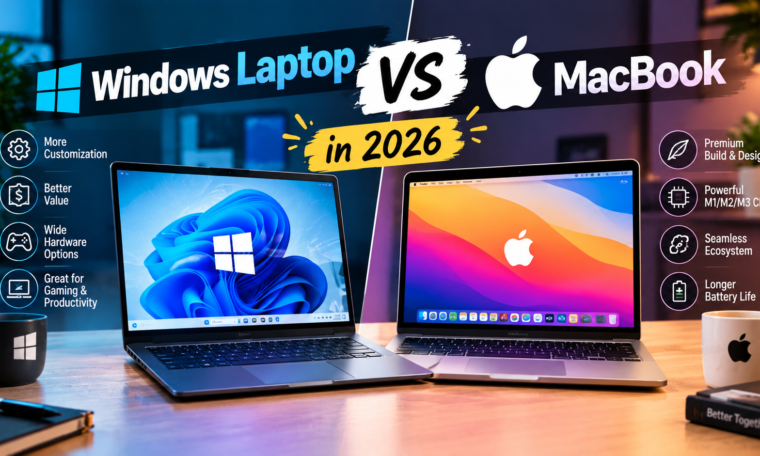
Windows Laptop vs MacBook: Quick Comparison
| Feature | Windows Laptop | MacBook |
|---|---|---|
| Operating system | Windows | macOS |
| Brand choice | Many manufacturers | Apple |
| Hardware variety | Very wide | More limited |
| Gaming | Broad compatibility | More limited |
| Software | Huge Windows ecosystem | Strong macOS ecosystem |
| Apple ecosystem | Limited integration | Excellent |
| Customization | Generally extensive | More controlled |
| Price range | Budget to premium | Primarily mid-range to premium |
| Ports | Varies by model | Varies by model |
| Touchscreen | Available on many models | Not offered on MacBook |
| Upgrades | Depends on model | Generally limited after purchase |
Windows Laptops Offer More Choice
One major advantage of Windows is variety.
Brands such as Dell, HP, Lenovo, ASUS, Acer, Microsoft, and others produce Windows laptops across different price categories.
You can find lightweight student laptops, gaming machines, business notebooks, creator-focused models, touchscreen systems, and powerful workstation-class computers.
This variety makes Windows particularly flexible for buyers with specific requirements.
MacBook Offers Apple’s Integrated Experience
MacBooks are designed by Apple around its hardware and software ecosystem.
Modern Macs use Apple silicon, allowing Apple to optimize macOS around its processors.
This integration can contribute to efficient performance and battery management, while features such as iCloud, AirDrop, Handoff, and Continuity make MacBooks particularly convenient for people who already use other Apple devices.
Windows vs macOS: Software Compatibility
Software compatibility should be one of your first considerations.
Windows supports an enormous range of applications, including many business, engineering, gaming, and specialized professional programs.
macOS also supports a large software ecosystem, particularly for creative work, productivity, development, and general computing.
However, some specialized Windows applications may not have native Mac versions.
Before buying a MacBook, check whether the software you use for college or work supports macOS.
Windows Laptop vs MacBook for Students
Students have different requirements depending on their field.
For general study, both platforms can handle:
- Microsoft Office
- Web browsing
- Video calls
- Research
- Presentations
- Programming
- Note-taking
- Streaming
Students in engineering, computer science, architecture, or specialized technical courses should check software requirements carefully.
If a university requires Windows-only software, a Windows laptop may be more convenient.
Which Is Better for Gaming?
Windows remains the more flexible platform for gaming.
There are many Windows gaming laptops with dedicated NVIDIA, AMD, or other graphics hardware. The platform also supports a much broader PC gaming library.
MacBooks can run a growing number of games, but gaming remains a less central part of Apple’s laptop ecosystem.
If gaming is a major reason you’re buying a laptop, check game compatibility and GPU performance before choosing a MacBook.
Battery Life
Battery life depends on the specific laptop rather than simply the operating system.
Modern Apple silicon MacBooks are known for strong power efficiency.
Windows laptops have also improved considerably, particularly with newer processors designed for efficient performance.
When comparing battery life, look at independent testing rather than relying only on manufacturer claims.
Your display brightness, browser usage, video playback, software, and connected accessories can all affect real-world battery life.
Design and Build Quality
Premium Windows laptops can compete closely with MacBooks in design and build quality.
However, Windows gives you much more variety.
You can choose:
- Metal laptops
- Convertible 2-in-1 systems
- Touchscreen laptops
- Gaming designs
- Ultra-light notebooks
- Business-class machines
MacBooks follow Apple’s more consistent design philosophy.
Your preference may therefore come down to whether you want variety or a more controlled product lineup.
MacBook and Apple Ecosystem
One of the biggest reasons people choose MacBook is ecosystem integration.
If you already own an iPhone, AirPods, or Apple Watch, a MacBook can make everyday tasks more convenient.
Features such as AirDrop allow compatible devices to share files easily, while Handoff can allow users to continue certain activities between Apple devices.
This ecosystem becomes particularly useful for people who frequently move between phone and laptop.
Windows Ecosystem
Windows also offers broad compatibility with Android phones, accessories, displays, printers, gaming devices, and other hardware.
The platform is particularly flexible for people who use products from several manufacturers.
Windows laptops also commonly provide more ports and hardware configurations, although this depends heavily on the individual model.
Windows Laptop vs MacBook for Coding
Both can be excellent for programming.
macOS provides a Unix-based environment that many developers appreciate, while Windows has improved its development capabilities considerably.
Windows also provides broad support for enterprise software and Microsoft’s development ecosystem.
For programming, check the languages, development tools, virtualization requirements, and deployment environment you expect to use.
Windows Laptop vs MacBook for Creative Work
MacBooks have long been popular among designers, photographers, musicians, and video editors.
Their displays, performance, battery efficiency, and creative software support can make them attractive to professionals.
However, Windows also offers powerful creator laptops with dedicated GPUs and high-quality displays.
If you use software that benefits from NVIDIA GPUs or Windows-specific applications, a Windows creator laptop may be worth considering.
Price and Value
Windows provides a much wider price range.
You can find inexpensive Windows laptops for basic tasks, while premium models can cost as much as or more than many MacBooks.
MacBooks generally occupy a more premium portion of the laptop market, although Apple’s lineup has expanded across different price categories.
Instead of comparing starting prices, compare similarly equipped models.
Look at RAM, SSD capacity, display, processor, battery, ports, warranty, and software requirements.
Windows Laptop vs MacBook: Which Should You Choose?
Your choice should depend on your priorities.
A Windows laptop can make sense if you want broad hardware choice, gaming support, touchscreen options, specialized software compatibility, or a particular configuration.
A MacBook can make sense if you value Apple’s ecosystem, macOS, battery efficiency, premium design, and integration with other Apple products.
Neither platform is universally suitable for every person.
Final Thoughts
The Windows laptop vs MacBook in 2026 comparison is ultimately about ecosystem, software, hardware choice, and personal requirements.
Windows gives buyers a huge range of hardware and software options, making it highly flexible. MacBook offers a tightly integrated Apple experience with macOS and Apple hardware.
Before buying, make a list of the applications you use, the games you play, the devices you own, your preferred screen size, and your budget. Then compare specific models instead of choosing an operating system based only on brand reputation.